Mitsubishi kumo cloud and Wall Controls in Santa Clarita, CA
The direct answer: Santa Clarita Mitsubishi HVAC sets up and troubleshoots Mitsubishi Electric controls across Santa Clarita, Valencia (91355), and Saugus (91350) - so call (213) 766-5980 or book online. We pair kumo cloud Wi-Fi adapters, the MHK2 wall thermostat, and PAR wired controllers, fix dropped connections, and read on-app fault codes, from about $95 to diagnose.
Snapshot
- kumo cloud: Wi-Fi app and monitoring; one PAC-USWHS002-WF-2 adapter per indoor head.
- MHK2: RedLINK wireless wall thermostat for a familiar wall control on a ductless head.
- PAR wired controllers (PAR-40MAA, PAR-33MAA, PAR-42MAA) for ducted and P-Series systems.
- The app surfaces operating status and fault codes - read us the code over the phone to speed the call.
- Dropped app connections are usually Wi-Fi or adapter, not the heat pump.
- Service ZIPs: 91350, 91351, 91354, 91355, 91387, 91390.
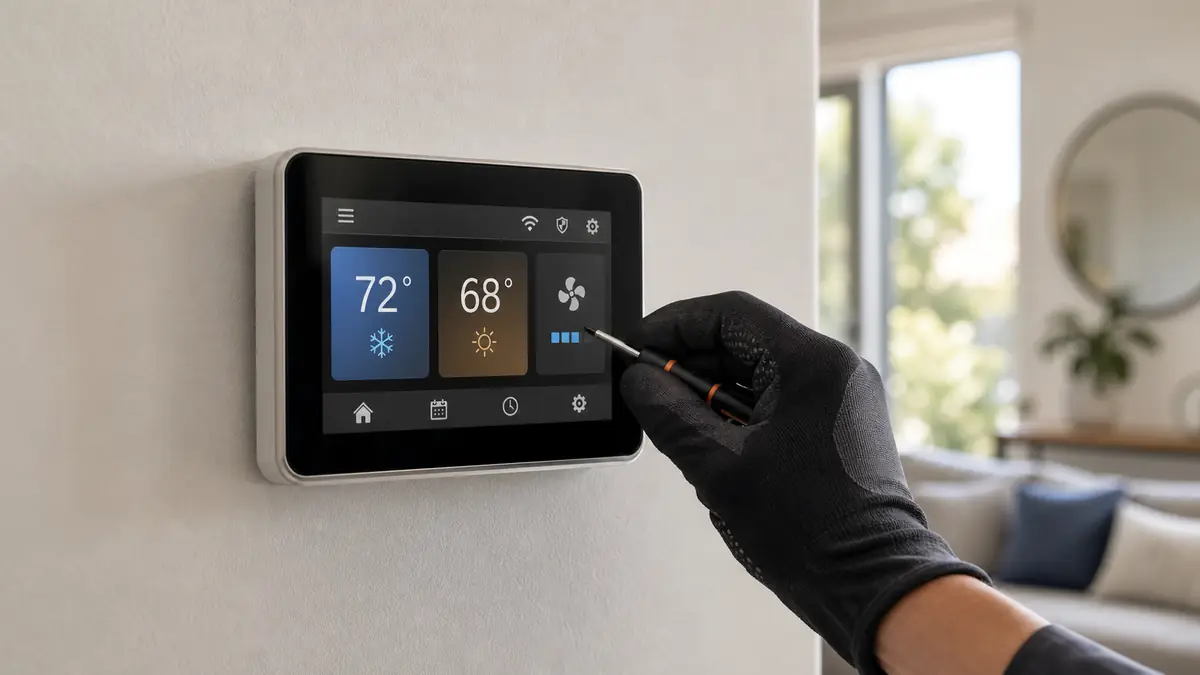
What does kumo cloud actually do for my system?
kumo cloud is Mitsubishi's Wi-Fi control and monitoring layer. It lets you set schedules, change modes, and watch operating status from a phone, and it surfaces fault codes so you can tell us exactly what the unit is flashing before a tech rolls out. In a Santa Clarita multi-zone home that matters - you can turn down the unoccupied upstairs zones during a Santa Ana afternoon and keep the lived-in rooms cool, which trims runtime on the cooling load that dominates this valley. The one design detail homeowners miss: kumo uses one interface adapter (PAC-USWHS002-WF-2) per indoor unit, so a four-head system needs four adapters.
Should I use the app, a wall thermostat, or a wired controller?
Depends on the household. The kumo app suits people who live on their phones. The MHK2 is a RedLINK wireless wall thermostat that gives a ductless head the familiar feel of a wall control, which many homeowners and older family members prefer over an app. For ducted SVZ/MVZ and P-Series systems, the PAR-series wired controllers (PAR-40MAA, PAR-33MAA) mount on the wall and run the system directly. We will set up whichever one the people actually using it will use, not just the fanciest option.
| Control | Best for | Notes / cost lane |
|---|---|---|
| kumo cloud (app) | Remote control and fault monitoring | One adapter per head; $150 - $400 setup/adapter |
| MHK2 wall thermostat | Wall control for a ductless head | $250 - $600 installed |
| PAR-40MAA / PAR-33MAA | Ducted and P-Series systems | $200 - $500 installed |
| Dropped app connection | Wi-Fi or adapter, not the heat pump | $95 - $300 diagnosis |
What each Mitsubishi controller is, model by model
- kumo cloud + PAC-USWHS002-WF-2 adapter: the Wi-Fi app layer. One adapter per indoor head wires into the unit and bridges it to your home network for scheduling, mode control, and fault-code readout from a phone. A four-head home needs four adapters.
- MHK2 (RedLINK wireless): a battery or hardwired wall thermostat with a receiver that talks to a ductless head through the same interface - the wall-control experience for people who would rather not run the system from an app.
- PAR-40MAA: the full-feature wired wall controller for ducted M-Series and P-Series, with a backlit screen, schedules, and detailed fault display - the typical choice for an SVZ/MVZ or PEAD system.
- PAR-33MAA / PAR-42MAA: compact wired controllers for ducted and P-Series where a simpler wall control is enough.
Which control should you run, and how do they compare?
The grounded tradeoff is access versus simplicity. kumo cloud gives the most reach - remote control, zone-by-zone scheduling, and the fault code in your hand before you call us - but it leans on home Wi-Fi and needs an adapter per head, so a big multi-zone home pays for several. The MHK2 trades remote access for a fixed, familiar wall control that anyone in the house can use without a phone, which many households and older family members prefer. A PAR wired controller is the most robust for ducted systems: no Wi-Fi dependency, direct wired link, and the clearest on-wall fault display, but no remote app. None is "best"; the right pick is the one the people in the house will actually use, and you can mix them - a PAR on a ducted zone, kumo on the ductless heads.
What do the kumo and controller fault codes mean?
The app and the wall controllers surface the same Mitsubishi codes the unit flashes on its green LED, which lets you read us the exact fault before a truck rolls. The communication family is the one controls expose most: E0 through E5 are wired remote-controller communication, E6 through E9 are indoor-to-outdoor communication, and EA/EB point at the inter-unit cable or wiring connection. A control that shows status but no code is usually a network or adapter problem, not the heat pump. Codes outside the E family - P-codes for indoor sensors and protection, U-codes for the outdoor unit and inverter - still need meter work on the unit; the controller just tells us where to start.
| Code | Meaning | Where we look |
|---|---|---|
| E0 - E5 | Wired remote-controller communication | Controller wiring, address, the controller itself |
| E6 - E9 | Indoor-to-outdoor communication | S1/S2/S3 inter-unit wiring, control boards |
| EA / EB | Inter-unit cable / wiring connection | Terminal torque, miswire, corrosion |
| No code, status only | App lost the head; unit still running | Home Wi-Fi, router, kumo adapter power |
My app dropped the connection - is the heat pump broken?
Almost never. When kumo cloud loses a head, the unit keeps running on its last command; you have lost the remote, not the cooling. The usual culprits are home Wi-Fi, a power-cycled router, or the adapter itself. We check adapter power and re-pair first. If the indoor unit also flashes an E-code (E0 through E5 are remote-controller communication, E6 through E9 are indoor-outdoor communication), that is a wiring or board issue we chase on the unit, not the app. For deeper faults see heat pump repair and the short-cycling page.
Common questions
Does every Mitsubishi head need its own kumo cloud adapter?
Typically yes - kumo cloud uses one PAC-USWHS002-WF-2 interface adapter per indoor unit. So a four-zone Valencia home needs four adapters to control and monitor each head from the app. We factor that into a multi-zone quote rather than surprising you with it later.
Can I use a wall thermostat instead of the phone app?
Yes. The MHK2 is a RedLINK wireless wall thermostat that pairs through the same interface, giving you a familiar wall control for a ductless head. For ducted and P-Series systems, PAR wired controllers (PAR-40MAA, PAR-33MAA) mount on the wall. We help you pick based on who in the house actually uses it.
My kumo app lost connection to my Saugus mini-split. Is the unit broken?
Usually not. A dropped kumo connection is most often Wi-Fi or the adapter, not the heat pump - the unit keeps cooling on its last setting. We check the adapter power and pairing first. If the head also throws an E-code, that points at the controller communication wiring instead.
Will kumo cloud tell me what is wrong before I call?
Partly. The app surfaces operating status and can show fault codes, which speeds up a diagnosis - you can read us the code over the phone. It is not a full diagnostic tool, though; a real fix still needs meter readings on the board, sensors, and refrigerant circuit.
Last updated 2026-06-13.